 Embark
Together
Body doubling: ferries, events, friends, and the walk on every surface.
Ferries leave on the hour and half hour
The company is real and scheduled. A named ferry leaves every 30 minutes, and boarding opens 10 minutes before. Everyone who boards crosses together as lanterns on the water. Busyness only ever shows as a word (Quiet, A few travellers, Busy), never a number, and people are never made up. If nobody else boards, Basti goes with you.
What else lives here
- Crossings: free players get 3 a week, Embark+ is unlimited, and events are free for everyone. Each crossing adds +25 XP, +10 brass, an extra patch and a Crossings find.
- Keep my ferry: pick weekdays and Basti reminds you when boarding opens. The boarding Live Activity is scheduled ahead with an alert, because there's no push server.
- Live events: the Lantern Festival crossing (Fridays, 8 pm). A community lighthouse fills in as everyone's journeys add up.
- Walk with your call: start a journey together on FaceTime (SharePlay). Your task stays private.
- Friend quest: 30 lanterns a week with one friend. Invites: a link or code, and both of you get the Harvest amber lantern after their first journey.
- League: deliberately left out until there are real players (RLY-037).
The journey follows you around the system
The point is to put the phone down. So the walk shows up wherever you glance, never with the task text.

Live Activity & Dynamic Island
Basti and the time left. On the Lock Screen: You & Basti · on the way. Seen on your iPhone
Apple Watch
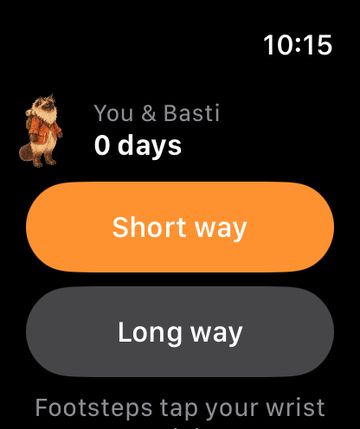
Start a short way, feel footsteps as taps, say "I did it" at the end. The complication shows your streak. Simulator Needs paired check
Pick up where you left off
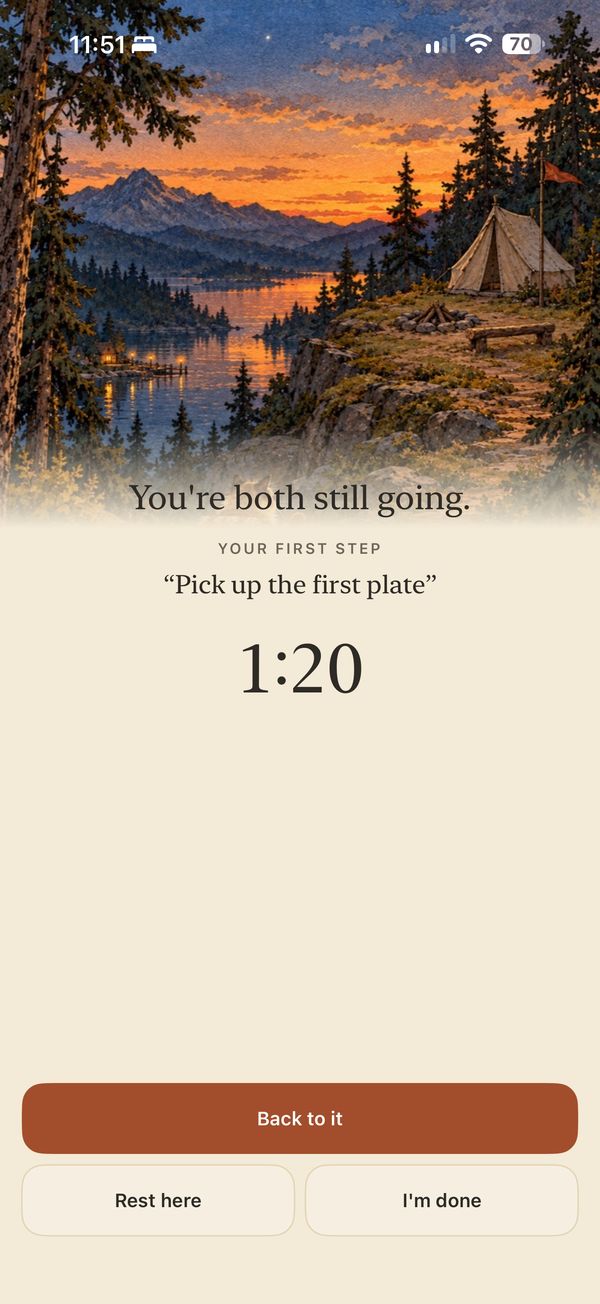
Leave the app and come back: the clock carries on from timestamps, even after the app is killed. Seen on your iPhone
Medium (interactive, with an Embark button), small, and a Lock Screen streak. Check on device
"Embark on the dishes", "Start a long way", "How's my streak?" Also Spotlight and the Action button.
A Control Center button. Work Focus puts work suggestions first, Personal Focus puts home and errands first.
All opt-in, at most two a day: streak, curiosity, ferry boarding, events, and arrival ("You both made it").